3 min read
Framer Forms: Getting Spam Emails?
Facing spam emails from Framer forms even with built-in protection? Learn why it happens and how reCAPTCHA v2 helps reduce spam and improve lead quality.

🚨 1. The Problem & Why It Happens
If you're using Framer to build websites, you know how powerful it is-fast, modern, and perfect for no-code workflows. Framer even comes with built-in spam protection for forms.
But here's the problem: spam emails still get through. Regularly.
Your inbox fills up with junk leads, fake names, and random messages. Frustrating, right?
📧 Is Framer Form Spam Really a Problem?
Yes. And it's getting worse.
Spam today isn't just bots. Many submissions are:
✍️ Manually filled
🧑 Human-like behavior
✅ Technically "valid"
🎯 Zero intent
They look real and pass basic filters. But they're noise.
This isn't a security problem-it's a lead quality problem.
If you're running a SaaS landing page, agency website, client project, or business form, this impacts your time, data quality, and client trust.

🛡️ Why Framer's Built-In Protection Falls Short
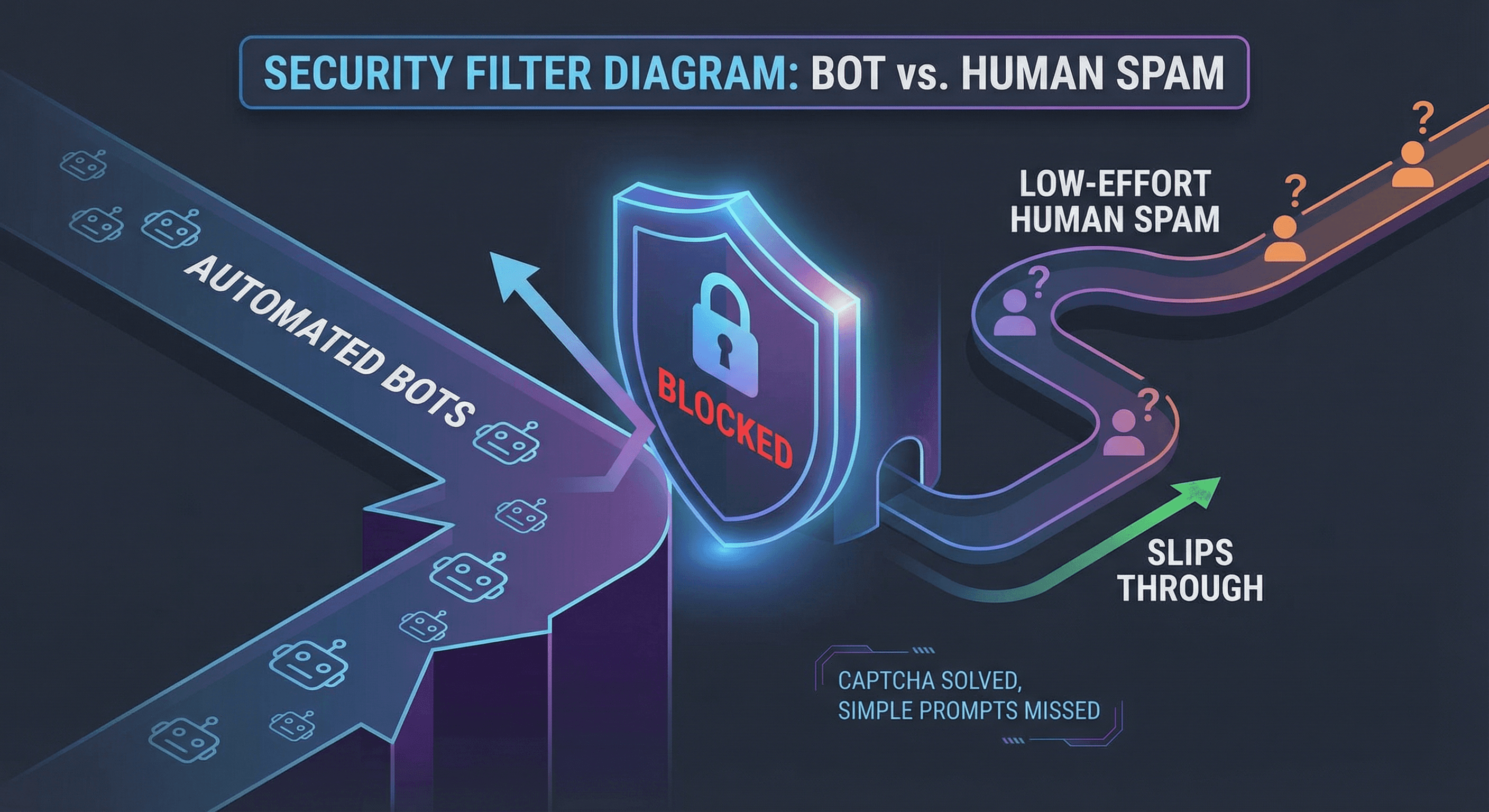
Framer's default spam protection is good. It blocks:
✅ Automated bots
✅ Script-based attacks
✅ Known malicious IPs
✅ Basic form abuse
For portfolios and low-traffic sites, this works fine.
But here's when it fails:
When your site:
📈 Starts ranking on Google
🚀 Gets organic or paid traffic
💼 Is used for lead generation
🎯 Needs high-quality submissions
Low-effort, human-like spam slips through because there's no friction.
🔑 Key Insight:
No friction = easy target.
When forms are wide open with zero verification, even casual spammers submit with one click. These come from real browsers, real IPs, and real behavior-bypassing bot detection.
💡 Spam protection isn't about blocking users. It's about qualifying intent.
2. The Solution & How It Works
After dealing with this for weeks, I built a custom Google reCAPTCHA v2 component for Framer.
🔐 What It Does:
✔️ Adds human verification before submission
✔️ Blocks automated spam completely
✔️ Reduces low-effort submissions
✔️ Matches Framer's design (light/dark mode)
✔️ Easy copy-paste integration

⚙️ How It Works
The component adds a second protection layer on top of Framer's built-in system.
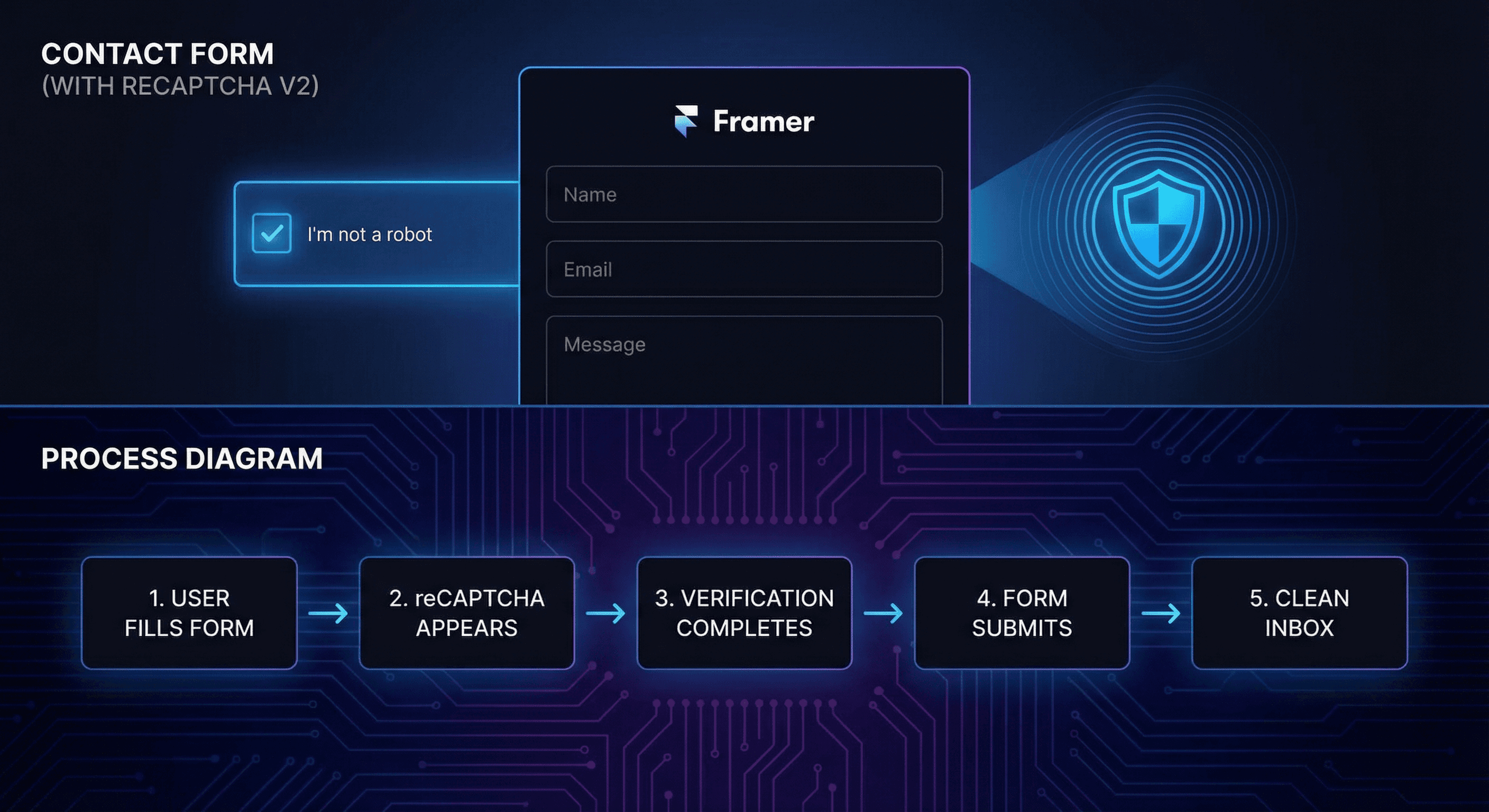
🔄 Step-by-Step Flow:
User fills the Framer form
reCAPTCHA verification appears
User completes "I'm not a robot"
Google validates the request
Only then does the form submit
3. Results & Who Needs This
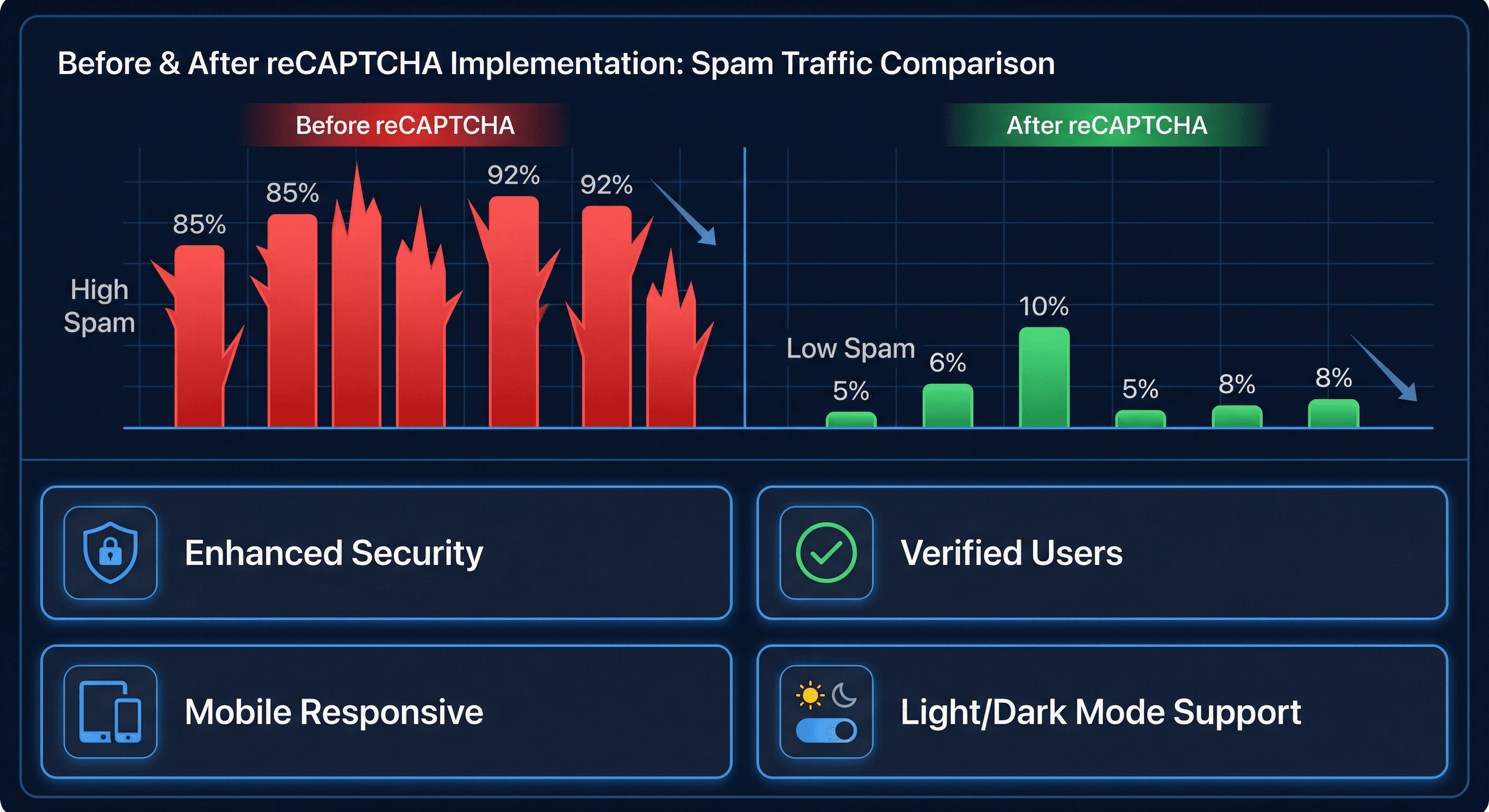
After implementing reCAPTCHA:
🚫 Automated spam: Almost zero
📉 Fake submissions: Down 90%+
📈 Lead quality: Noticeably better
⏰ Time saved: Hours every week
😌 Client satisfaction: Much higher
⚠️ Important Reality:
reCAPTCHA doesn't eliminate 100% spam. No system can.
But it filters the noise and ensures only serious users reach you.
👥 Who Should Add This?
👔 Freelancers & agencies building client sites
🚀 SaaS companies using Framer for landing pages
💼 Businesses with public contact forms
📧 Anyone tired of spam despite Framer protection
🎯 Lead-gen sites where quality > quantity
If your form is public and business-critical, this is a must-have.
4. Get Started & Final Thoughts
📦 Get the Component
You can grab the reCAPTCHA v2 component here:
https://www.framer.com/marketplace/components/recaptcha-v2/
💭 Final Thoughts
Framer gives you speed. No-code gives you flexibility.
But real-world forms need real-world filtering.
Spam doesn't need to be eliminated-it needs to be managed intelligently.
✅ Less junk
✅ More real submissions
✅ Better leads
If you're serious about your Framer site and tired of wasting time on spam, this is the upgrade you need.