Newsletter Signup
BrevoSignup
Collect newsletter subscribers straight into Brevo from Framer, with built in success and error states.
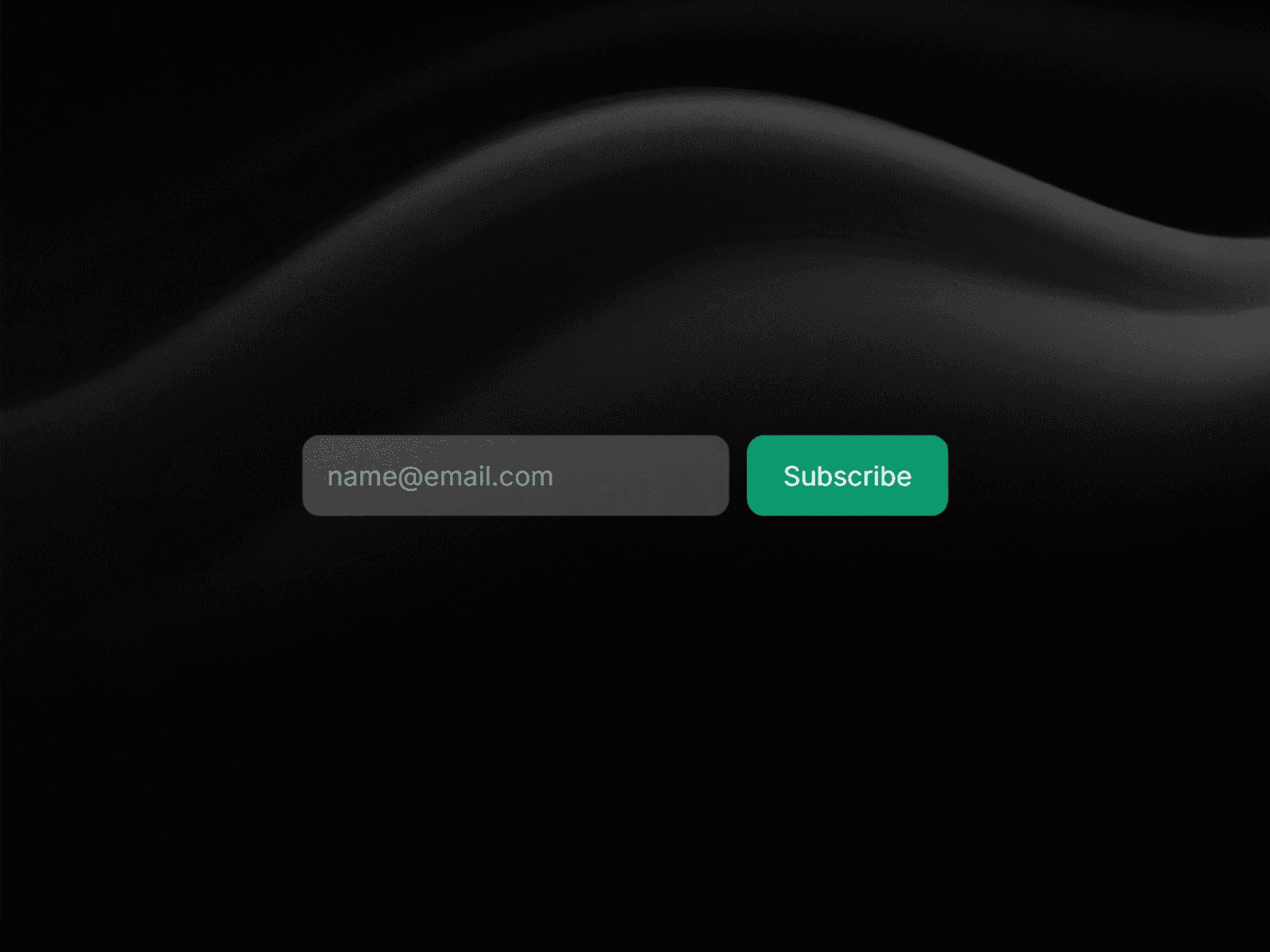
A Newsletter Form Wired Directly To Brevo
BrevoSignup connects a Framer form to your Brevo contact list, so every signup lands in the right list with no third party form service sitting in between.
How It Works
Paste your Brevo API key and List ID into the component controls, then style the input and button to match your site. When someone subscribes the component shows a success message, and it handles errors such as an invalid address or an existing subscriber.
Where To Use It
Footer signups, blog sidebars, landing page hero sections, and dedicated newsletter pages.
Good To Know
The form is fully responsive, and every piece of copy including the success and error messages can be edited from the Framer property panel.
What You Need
A Brevo account with at least one contact list created, plus the API key and the List ID for that list. Both are found in your Brevo settings, and the free Brevo plan is enough to start collecting subscribers.

MORE PRODUCTS
More From the Library
Templates, components and plugins built by the same team, ready to drop into your next project.

HCaptcha for Form
$4
Form Spam Protection

Typewriter Effect
Free
Text Animation Component
Countdown
Free
Time Countdown Component